Weekly Marketing Brief Template Generator
Your team context is only as useful as the brief you share. Generate a weekly brief template built for your stack and role — clear structure, fast copy, no blank-page drag.
What's your role?
Your brief structure changes based on what you own. Pick the one that fits.
Which tools are in your stack?
Select all that apply — your brief will include the right metrics for each.
Select at least one tool to continue.
What's your north star metric?
The single number that defines a good week. Your brief will centre on whether it moved — and why.
Leave blank to use a placeholder you can fill in later.
Your weekly brief template
The template is written. The question is who fills it every week.
Duct reads your ads, analytics and revenue tools, answers that question, and proposes the change. You approve it.
Before you fill this in
A brief is only as useful as the baselines behind it. If you don't already know your key metric benchmarks, calculate them first — then fill in the template with confidence. Related calculators below can help.
A template tells you how to write a brief. It doesn't tell you what changed this week.
Duct reads your actual tools, writes the brief with what changed, why, and one action, and remembers what you decided last week.
How Duct works →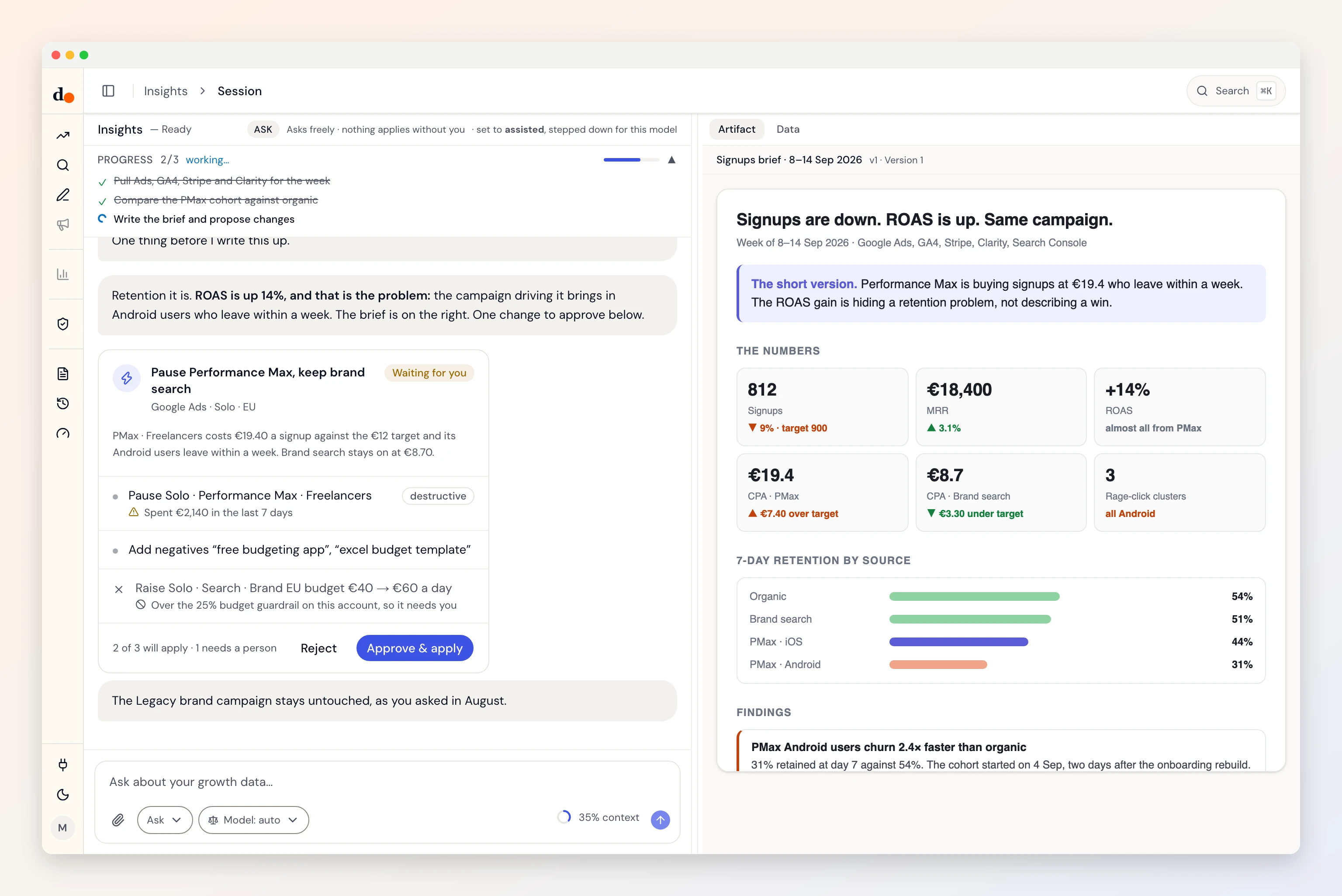
What makes a good weekly brief
Most weekly marketing reports fail for the same reason: they're data dumps, not briefs. They show every number from every tool without telling anyone what it means or what to do about it.
A good weekly brief answers three questions:
- What happened? — one paragraph, north star metric plus 2–3 supporting signals
- Why did it happen? — the cross-tool pattern that explains the movement
- What are we doing about it? — one action, one owner, one deadline
The template this tool generates is structured around these three questions, with sections customised for your exact tool stack. It's designed to take 60–90 minutes to fill manually — or zero minutes with Duct.
How to use this template
Copy the template and paste it into your preferred tool — Notion, Google Docs, Slack, or wherever your team reads updates. Fill in the metric slots by pulling data from each tool. Write 1–2 sentences of interpretation per section — what changed and what it means. The priority action section is the most important: one thing, one owner, one week.
Limitations
- This template is a starting point — adapt the sections to your specific context and team norms.
- Metric slots are placeholders. Pull actuals from each tool before sharing.
- The interpretation sections require human judgment — the template structures the question, not the answer.
FAQ
Frequently asked questions
What should a weekly marketing report include?
A weekly marketing brief should include: your north star metric and whether it moved, 2–3 channel-level metrics for each tool in your stack, one anomaly or unexpected change, and a single priority action for the coming week. Keep it under one page — if it requires scrolling it won't get read.
How long does a weekly marketing brief take to write?
Most growth marketers and PMs spend 2–3 hours per week writing a weekly brief manually — pulling data from GA4, HubSpot, Mixpanel, and ad platforms separately, then synthesising it into a coherent narrative. With a good template this reduces to 60–90 minutes. With automation, it takes minutes.
What is the difference between a report and a brief?
A report shows what happened — raw numbers, charts, tables. A brief tells you what it means and what to do. A good weekly marketing brief has a north star metric, the two or three signals that explain its movement, and one clear action. If your brief requires someone to interpret it, it's a report, not a brief.
Which tools should I include in my marketing brief?
Include only the tools that directly affect your north star metric this week. For most growth teams: GA4 for traffic and conversion, one ad platform for paid spend, and either Mixpanel or HubSpot for downstream pipeline or product behaviour. More than four tools in a weekly brief usually means no clear north star.